In this tutorial I will show you the right way to completely remove the WordPress generator meta tag from the header section of your WordPress Website´s source and from your feed. Also I will show you the full code for removing other default tags generated in the header of your WordPress Website.
By default WordPress leaves its footprint on your Website. But sometimes this might be a security risk for your Website, especially if you are not using the latest version of WordPress. Since you are providing crackers with extra information that might be useful to them.
If you are using the latest version of WordPress, then probably you do not have to worry about this tutorial. But if you are not, then continue reading. In any case, I personally implement the tips in this tutorial since it will not harm and it might actually help in securing your Website to what is commonly known as Security through obscurity. Security through obscurity is usually thought to be an unsound strategy. However; there are areas in WordPress where obscuring information might help with security.
Do Not Advertise Your WordPress Version
What is the point of advertising it anyway? WordPress adds a generator meta tag to the header of every page, it includes the WordPress version number used. If you are running an old WordPress version with known vulnerabilities, it might be unwise to display this information to the public. A crawler can scan this info and look for Websites that are running an older version of WordPress with known exploits. Your WordPress Website will be a little more secure if you don´t advertise what version of WordPress you are using. There are security vulnerabilities related to specific versions of WordPress. By hiding your WordPress version, it might become a bit harder for a cracker to know which vulnerabilities to use.
What about a Plugin? Yes, there are plugins that remove WordPress version from your Website. But haven´t you read my previous post about the disadvantages of unnecessarily adding plugins to your theme? Also, you really don´t need a plugin for such a simple task.
Where is the Version Number Shown?
You need to view the source code of your WordPress Website to find the meta generator tag. Viewing options differ depending on the browser you use, but it is usually found in your right-click menu.
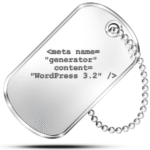
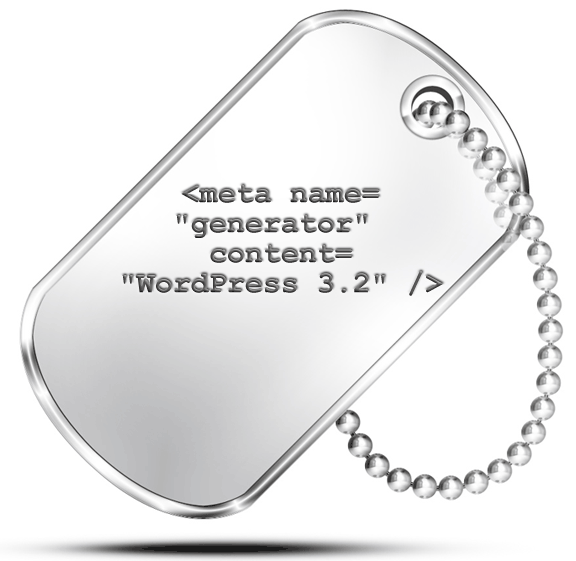
The meta tag should be in the header section of the source code, before the </head> closing tag. Do a search looking for the keyword “generator” and you should see a line like this:
//x.x.x is your WordPress version number. Example: 3.1.3
<meta name="generator" content="WordPress x.x.x" />
If the above line does not appear in your source code then great, the WordPress theme that you are using has disabled it. The next step is to look into the source code of your RSS feed.
How To Manually Remove the Generator Meta Tag
Open your header.php file and look if the generator meta tag is hard-coded. Some themes, especially old themes developed prior to WordPress version 2.5, used to add the following code to the header.php file. If you find it, I recommend that you manually delete it.
//If this exists, manually delete this statement.
<meta name="generator" content="WordPress <?php bloginfo('version'); ?>" />
If the above statement is hard coded in your theme´s header.php file, then you need to manually remove it. The code shown in the next section (CODE1)will not automatically remove it.
How To Remove the Generator Meta Tag Using a Simple function
Since version 2.5, WordPress automatically displays the version you are using in the header section of your Website. This is done through the wp_head() function. This function is placed immediately before the </head> tag in a theme, and it is used by many plugins to add elements to the header section such as scripts, styles, and meta tags. Therefore, all new WordPress themes will not hard code the WordPress generator meta tag anymore.
Some tutorials recommend that you open your functions.php located in your theme´s folder and add the following code:
<?php
//Removes ONLY From the Header.
//Removes the meta tag generator name and version that generated with the wp_head()function.
remove_action('wp_head', 'wp_generator');
?>
The problem with the code above is that it only removes the WordPress version information from your Website pages. If someone views your Website´s source, they will not be able to see the WordPress generator name and version.
References:
Did you know that by default, WordPress also provides the version in your RSS feeds. If you peak under the hood and look at the source code for your RSS feed you will see that WordPress includes its version number near the top, and the code above will not remove it. Something like the following:
<generator>http://wordpress.org/?v=3.1.3</generator>In order to completely remove your WordPress Version number from both your WordPress pages and RSS feeds, add the following code to your functions.php file:
CODE1 (the right way)
<?php
//Remove generator name and version from your Website pages and from the RSS feed.
function completely_remove_wp_version() {
return ''; //returns nothing, exactly the point.
}
add_filter('the_generator', 'completely_remove_wp_version');
?>- The code above (CODE1) removes WordPress version number from your Website pages and from the RSS feed.
- The code above (CODE1)does NOT remove WordPress version if it is hard-coded in your theme´s header.php file as discussed in the previous section.
- The code above (CODE1) does NOT prevent WordPress exploits being attempted against your Website. Modern worms ignore the version in their exploit attempts. There are many ways of determining the WordPress version used, the generator is a rarely used method.
Reference:
Some themes already include the WordPress version removal function. So no need to add the above code (CODE1). First check your function file for any similar code block, or you can also check if the WordPress version is already visible in the source of your WordPress pages and your RSS feed.
Remove the readme.html file
One more thing, do not forget to delete the file readme.html located in the root directory of your WordPress Website. This file contains a description of the WordPress version you are using. If you do not want to delete it, you can remove the version number located at the top.
Sometimes Security through Obscurity gives you a false sense of security. To my surprise, I discovered that the WordPress version number is appended to some of the external file paths of some plugins and themes. In this case not much you can do, unless you can afford uninstalling the plugins or themes in question.
Default Actions Attached to wp_head Hook
The wp_head action hook is triggered within the <head></head> section of the WordPress Website by the wp_head() function.
To see all the default actions attached to wp_head hook, go to wp-includes/default-filters.php file located in your WordPress Website´s directory. Open the default-filters.php file and check from line 201, as shown in the following code snippet:
Code Snippet From default-filters.php.
<?php
// Actions
//Allows plugins to queue scripts for the front end.
add_action( 'wp_head', 'wp_enqueue_scripts',  1 );

//Display the links to the general feeds.
add_action( 'wp_head', 'feed_links',  2 );

//Display the links to the extra feeds such as category feeds.
add_action( 'wp_head', 'feed_links_extra', 3 );

//Display the link to the Really Simple Discovery service endpoint.
add_action( 'wp_head',  'rsd_link' );

//Display the link to the Windows Live Writer manifest file.
add_action( 'wp_head',  'wlwmanifest_link');

//Display relational link for the site index.
add_action( 'wp_head',  'index_rel_link' );

//Display relational link for parent item.
add_action( 'wp_head',    'parent_post_rel_link',  10, 0 );

//Display relational link for the first post.
add_action( 'wp_head',  'start_post_rel_link', 10, 0 );

//Display relational links for the posts adjacent to the current post for single post pages.
add_action( 'wp_head',   'adjacent_posts_rel_link_wp_head', 10, 0 );

//Display localized stylesheet link element.
add_action( 'wp_head', 'locale_stylesheet' );

//Display a noindex meta tag depending on the blog configuration.
//If a blog is marked as private then the noindex meta tag will be
//outputed to tell web robots not to index the page content.
add_action( 'wp_head',  'noindex',  1  );

//Display styles that are in the queue.
add_action( 'wp_head',  'wp_print_styles', 8  );

//Prints the script queue in the HTML head on the front end.
add_action( 'wp_head', 'wp_print_head_scripts', 9  );

//Display the XHTML generator that is generated on the wp_head hook.
add_action( 'wp_head', 'wp_generator' );

//Output rel=canonical for singular queries.
add_action( 'wp_head',  'rel_canonical' );

//Prints the scripts that were queued for the footer on the front end.
add_action( 'wp_footer',  'wp_print_footer_scripts'  );

//Inject rel=shortlink into head if a shortlink is defined for the current page.
add_action( 'wp_head',  'wp_shortlink_wp_head',  10, 0 );
?>
The second parameter of the add_action() function, is also a function. These functions are located in the same wp-includes directory in the following files: general-template.php, link-template.php, theme.php, script-loader.php and functions.wp-styles.php
Reference:
How To Remove Default Actions for Other WordPress Hooks
In the code above, we already took care of removing the ´wp_generator´ on line 45. If you want to remove some or all of the above default actions, all what you need to do is replace the add_action with remove_action. Add part or all the following code to your functions.php file:
Code that removes other default Action Hooks
<?php
//Remove the links to the general feeds: Post and Comment Feed.
remove_action( 'wp_head', 'feed_links',  2 );

//Remove the links to the extra feeds such as category feeds.
remove_action( 'wp_head',  'feed_links_extra',  3 );

//Remove the link to the Really Simple Discovery service endpoint, EditURI link.
remove_action( 'wp_head',  'rsd_link' );

//Remove the link to the Windows Live Writer manifest file.
remove_action( 'wp_head',  'wlwmanifest_link' );

//Remove index link.
remove_action( 'wp_head',  'index_rel_link' );

//Remove previous link.
remove_action( 'wp_head', 'parent_post_rel_link', 10, 0 );

//Remove start link.
remove_action( 'wp_head', 'start_post_rel_link', 10, 0 );

//Remove relational links (previous and next) for the posts adjacent to the current post.
remove_action( 'wp_head', 'adjacent_posts_rel_link_wp_head', 10, 0 );

//Remove shortlink if it is defined.
remove_action( 'wp_head', 'wp_shortlink_wp_head', 10, 0 );
?>
Above is the full code for removing the other default and probably unnecessary tags generated in the header section of your WordPress Website.
Reference:
General Warning
When you add several PHP code blocks in your theme´s funtions.php file, make sure that you do NOT leave any white space (spaces, newline) before the opening PHP tag or after the closing PHP tag. Like so (the correct way):
<?php
//Some Code here beetween the opening PHP tag (above)
//and the closing PHP tag (below)...
?>
<?php
//Some other Code here ...
?>
In the above code, if you leave any white space or a newline between lines 4 and 5, you will get the following error: Warning: Cannot modify header information – headers already sent by (… , in your login screen and after you login to your WordPress dashboard.
General Advice
Keep WordPress Up to Date: If you can, you should always have the latest version of WordPress. Upgrading to the latest version is necessary because upgrades usually include security enhancements. Go and upgrade to the latest version. This is the easiest step, but not the only step, that you can take to harden security of your WordPress Website.